> ## Documentation Index
> Fetch the complete documentation index at: https://cortex-foundation-add13747-droid-2a5c5e50-docs-ferndesk-pro.mintlify.site/llms.txt
> Use this file to discover all available pages before exploring further.
# What is Cortex
> Four products and a CLI behind one account on cortex.foundation — Chat, Code, Bot, Design, and the Cortex CLI.
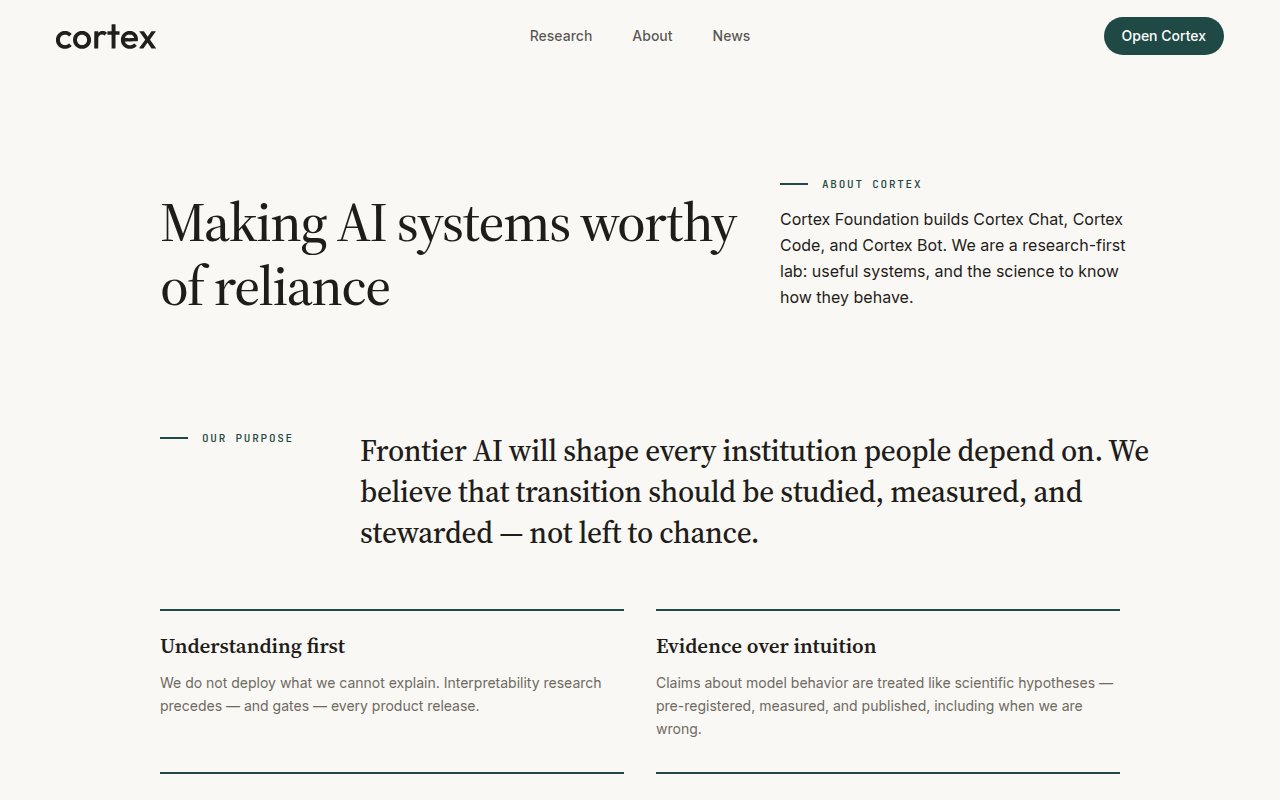
Cortex is built by the Cortex Foundation, a research-first lab. The products share one account, one domain, and one set of models. Use **Chat** for conversation and research, **Code** for a repository, **Bot** for an always-on teammate with its own computer, **Design** for persistable canvases, and the **CLI** to drive Code from a terminal.
 ## The products
| Product | What you open | Who can use it | Guide |
| ------------------- | --------------------------------------------------- | ------------------------------------------ | --------------------------------- |
| **Cortex Chat** | `cortex.foundation` | Everyone, including before you sign in | [Chat](/chat) |
| **Cortex Code** | `/code` in the web app, the desktop app, or the CLI | Signed-in members | [Code](/code) |
| **Cortex Bot** | `/bot` in the web app, or the Bot desktop app | Signed-in members | [Bot](/bot) |
| **Cortex CLI** | `cortex` in a terminal | Signed-in members | [CLI](/cli) |
| **Cortex Design** | The Design desktop app | Signed-in members | [Design](/design) |
| **Cortex Security** | `/code/security` in the web app | Signed-in members with a GitHub repository | [Cortex Security](/code/security) |
Chat works unsigned. Everything else needs an account, so that a guest session can never create a grant, a bot, or a session it could not come back to revoke.
## When to use which
| You want to… | Use |
| ------------------------------------------------------------------------------ | ------------------- |
| Ask questions, write, research with citations, generate or check images | **Chat** |
| Change a repository, run tests, open a pull request | **Code** |
| Delegate ongoing work to an agent that browses, clicks, and runs on a schedule | **Bot** |
| Work on code from your own terminal, in scripts, or in CI | **CLI** |
| Lay out frames, notes, and a component library on a board | **Design** |
| Review GitHub pull requests in place | **Cortex Security** |
Chat does not run Code's workspace shell or Bot's computer. Code sessions are a timeline of work, not a chat transcript. Design canvases are not Chat markdown sidecars. Each product keeps its own shape on purpose — see [How Chat works](/chat/how-it-works), [How Code works](/code/how-it-works), and [How Bot works](/bot/how-it-works).
## Models
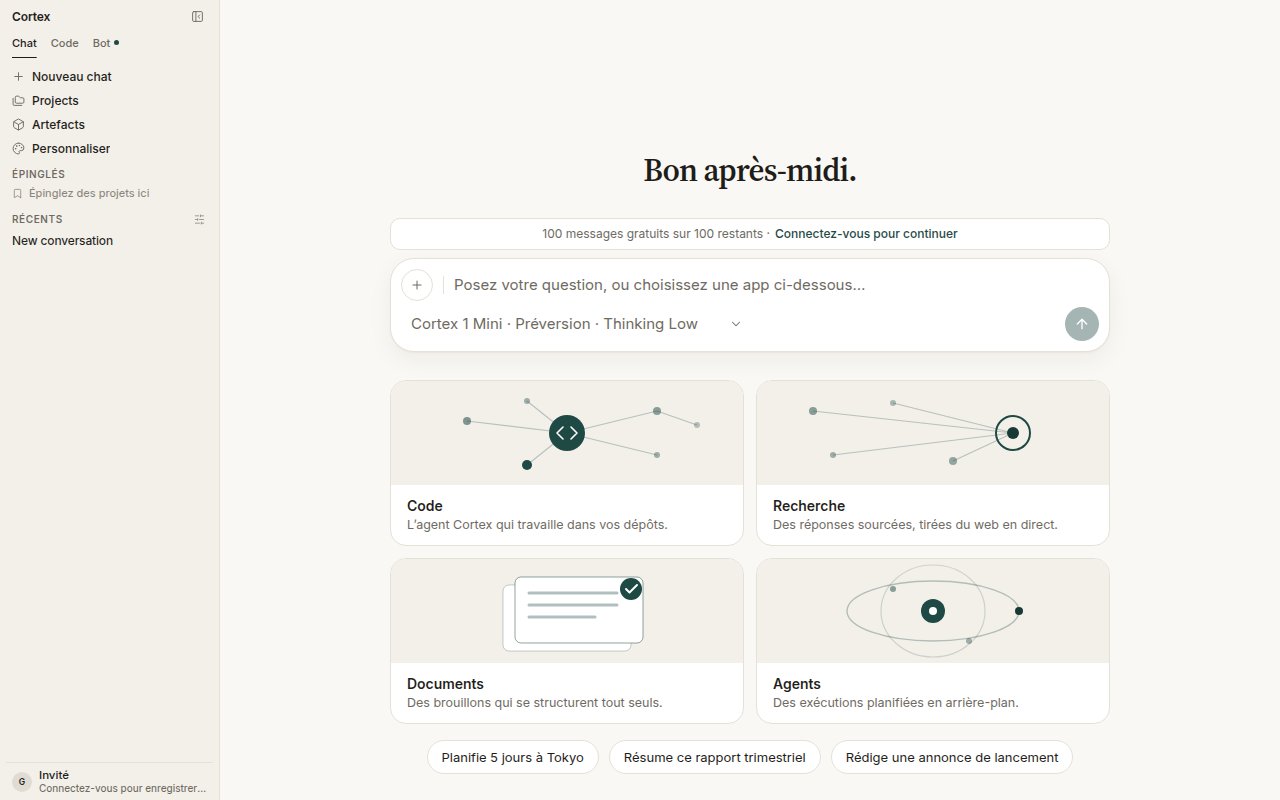
Every product runs on Cortex models. In Chat you pick per conversation from the composer chip:
| Model | Status | Notes |
| --------------------- | ------- | ------------------------------------------------------------------------------ |
| **Cortex 1 Mini** | Preview | Default for new chats. 262K context, reasoning, tools. |
| **Cortex Teutonic-1** | Preview | Second public preview, under active training. 32.8K context, reasoning, tools. |
| **Cortex-Image-1** | Preview | Image generation for Chat. Built on NVIDIA Cosmos. |
The CLI shows models under English product names — **Cortex Mini 1**, **Cortex 1**, **Cortex Max 1** — and lets you tune reasoning effort per session. Details: [Chat models](/chat/models) and [CLI modes](/cli/modes-and-permissions).
## Language
English is the source of truth for interface copy. The web app is localized into French, Spanish, German, Japanese, Simplified Chinese, Brazilian Portuguese, and Korean; switch under **Settings → General → Language**. Model prompts stay in English. Product names are never translated.
## The products
| Product | What you open | Who can use it | Guide |
| ------------------- | --------------------------------------------------- | ------------------------------------------ | --------------------------------- |
| **Cortex Chat** | `cortex.foundation` | Everyone, including before you sign in | [Chat](/chat) |
| **Cortex Code** | `/code` in the web app, the desktop app, or the CLI | Signed-in members | [Code](/code) |
| **Cortex Bot** | `/bot` in the web app, or the Bot desktop app | Signed-in members | [Bot](/bot) |
| **Cortex CLI** | `cortex` in a terminal | Signed-in members | [CLI](/cli) |
| **Cortex Design** | The Design desktop app | Signed-in members | [Design](/design) |
| **Cortex Security** | `/code/security` in the web app | Signed-in members with a GitHub repository | [Cortex Security](/code/security) |
Chat works unsigned. Everything else needs an account, so that a guest session can never create a grant, a bot, or a session it could not come back to revoke.
## When to use which
| You want to… | Use |
| ------------------------------------------------------------------------------ | ------------------- |
| Ask questions, write, research with citations, generate or check images | **Chat** |
| Change a repository, run tests, open a pull request | **Code** |
| Delegate ongoing work to an agent that browses, clicks, and runs on a schedule | **Bot** |
| Work on code from your own terminal, in scripts, or in CI | **CLI** |
| Lay out frames, notes, and a component library on a board | **Design** |
| Review GitHub pull requests in place | **Cortex Security** |
Chat does not run Code's workspace shell or Bot's computer. Code sessions are a timeline of work, not a chat transcript. Design canvases are not Chat markdown sidecars. Each product keeps its own shape on purpose — see [How Chat works](/chat/how-it-works), [How Code works](/code/how-it-works), and [How Bot works](/bot/how-it-works).
## Models
Every product runs on Cortex models. In Chat you pick per conversation from the composer chip:
| Model | Status | Notes |
| --------------------- | ------- | ------------------------------------------------------------------------------ |
| **Cortex 1 Mini** | Preview | Default for new chats. 262K context, reasoning, tools. |
| **Cortex Teutonic-1** | Preview | Second public preview, under active training. 32.8K context, reasoning, tools. |
| **Cortex-Image-1** | Preview | Image generation for Chat. Built on NVIDIA Cosmos. |
The CLI shows models under English product names — **Cortex Mini 1**, **Cortex 1**, **Cortex Max 1** — and lets you tune reasoning effort per session. Details: [Chat models](/chat/models) and [CLI modes](/cli/modes-and-permissions).
## Language
English is the source of truth for interface copy. The web app is localized into French, Spanish, German, Japanese, Simplified Chinese, Brazilian Portuguese, and Korean; switch under **Settings → General → Language**. Model prompts stay in English. Product names are never translated.
 ## Hostnames
| Host | What it serves |
| ---------------------------- | ------------------------------------------ |
| `cortex.foundation` | Web app, public product pages, news, legal |
| `software.cortex.foundation` | CLI installers and release manifests |
| `releases.cortex.foundation` | Desktop app downloads and updater feed |
| `api.cortex.foundation` | The API the apps and the CLI talk to |
| `docs.cortex.foundation` | This site |
## Next
1. [Quickstart](/getting-started/quickstart) — a first Chat, then the other surfaces.
2. [Accounts](/getting-started/accounts) — guest versus member.
3. [Plans](/getting-started/plans) — what each plan includes and how quotas behave.
4. [Settings](/getting-started/settings) — theme, language, shortcuts, models, privacy.
## Hostnames
| Host | What it serves |
| ---------------------------- | ------------------------------------------ |
| `cortex.foundation` | Web app, public product pages, news, legal |
| `software.cortex.foundation` | CLI installers and release manifests |
| `releases.cortex.foundation` | Desktop app downloads and updater feed |
| `api.cortex.foundation` | The API the apps and the CLI talk to |
| `docs.cortex.foundation` | This site |
## Next
1. [Quickstart](/getting-started/quickstart) — a first Chat, then the other surfaces.
2. [Accounts](/getting-started/accounts) — guest versus member.
3. [Plans](/getting-started/plans) — what each plan includes and how quotas behave.
4. [Settings](/getting-started/settings) — theme, language, shortcuts, models, privacy.