

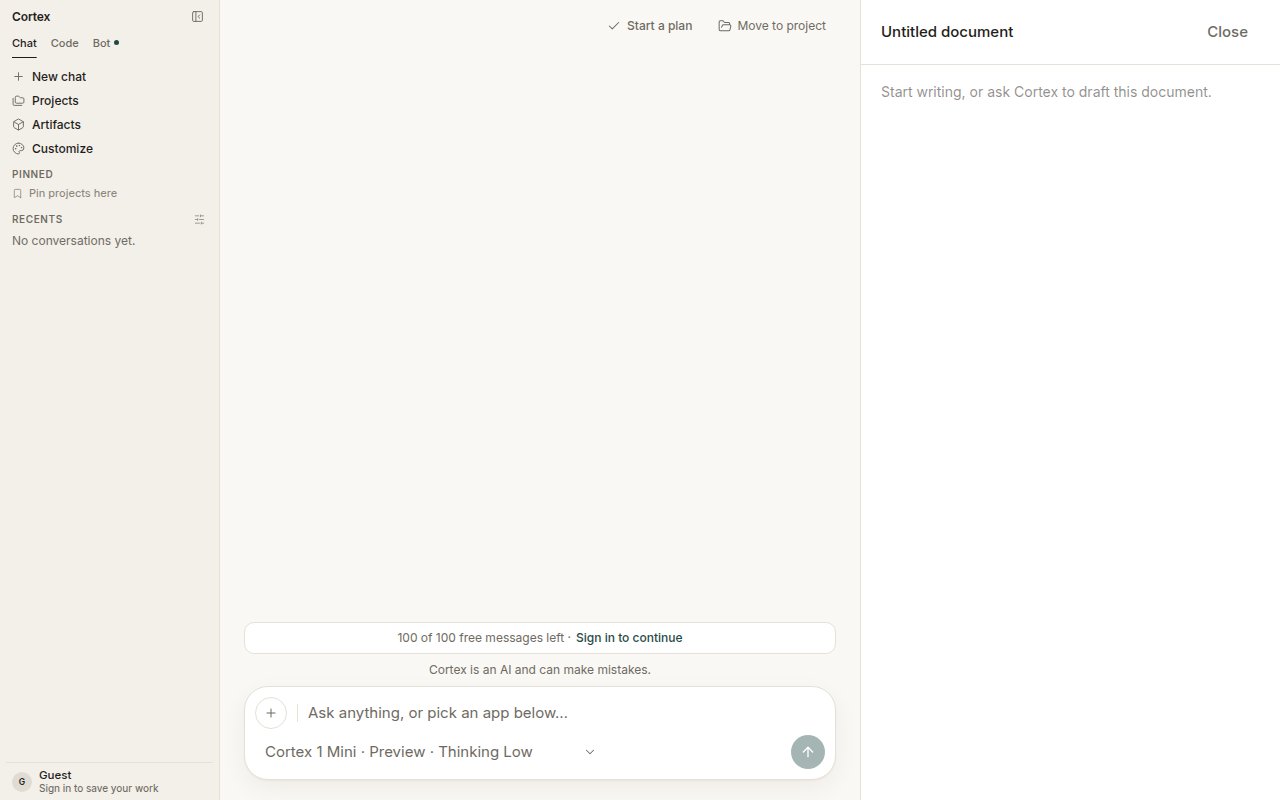
A new chat with a document canvas open on the right — “Start writing, or ask Cortex to draft this document.”
Open a canvas
- Choose the Docs card on Chat home — Drafts that structure themselves. It opens a new chat with an Untitled document beside it.
- Or ask in any thread: Draft this as a document I can edit.
Work in a canvas
- Ask Cortex to draft or revise — tighten the intro, add a section on pricing.
- Edit directly in the panel. The conversation and the document stay in step.
- Close the panel when you are done; your edits are kept with the conversation.
What writes to it
Canvas tools are part of the tool set a Chat turn can receive, alongside the document readers. A turn reaches them the same way it reaches any other tool — the model asks, Chat runs it. See How Chat works. Two of those tools are for Design boards rather than documents:design_write and design_read. Chat can host a Design canvas through them, and that object opens in the Design desktop app. See Design.
Canvas, plan, or Library?
What it is not
There is no
/design mode in the web app. Chat can host a Design canvas — the object is created from the conversation — but the working UI for it is the Design desktop app. See Design.
Related
- Projects — keep the chat and its document with the rest of the work.
- Library — attachments the draft can draw on.
- Design canvases — the other object called a canvas.