

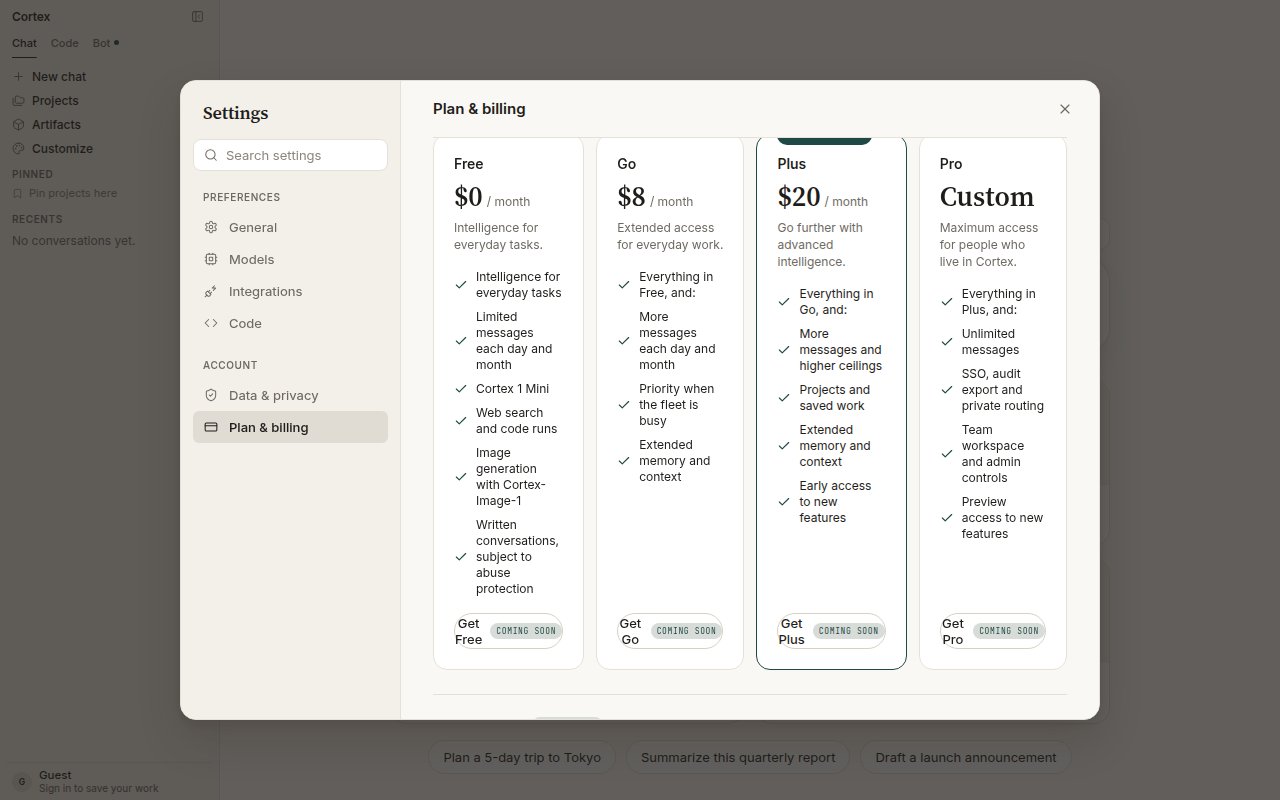
Settings → Plan & billing. The plan ladder as shown in the product; the Change plan buttons are marked Coming soon while checkout is being finished.
The plans
Plus is the recommended plan in the product. Switching takes effect at the next billing cycle. At the time of writing the Get Free / Go / Plus / Pro buttons and Billing history are marked Coming soon; the ladder above is what the product lists.
Usage and reset timers
Settings → Plan & billing shows today’s and this month’s message counts with a reset countdown for each window.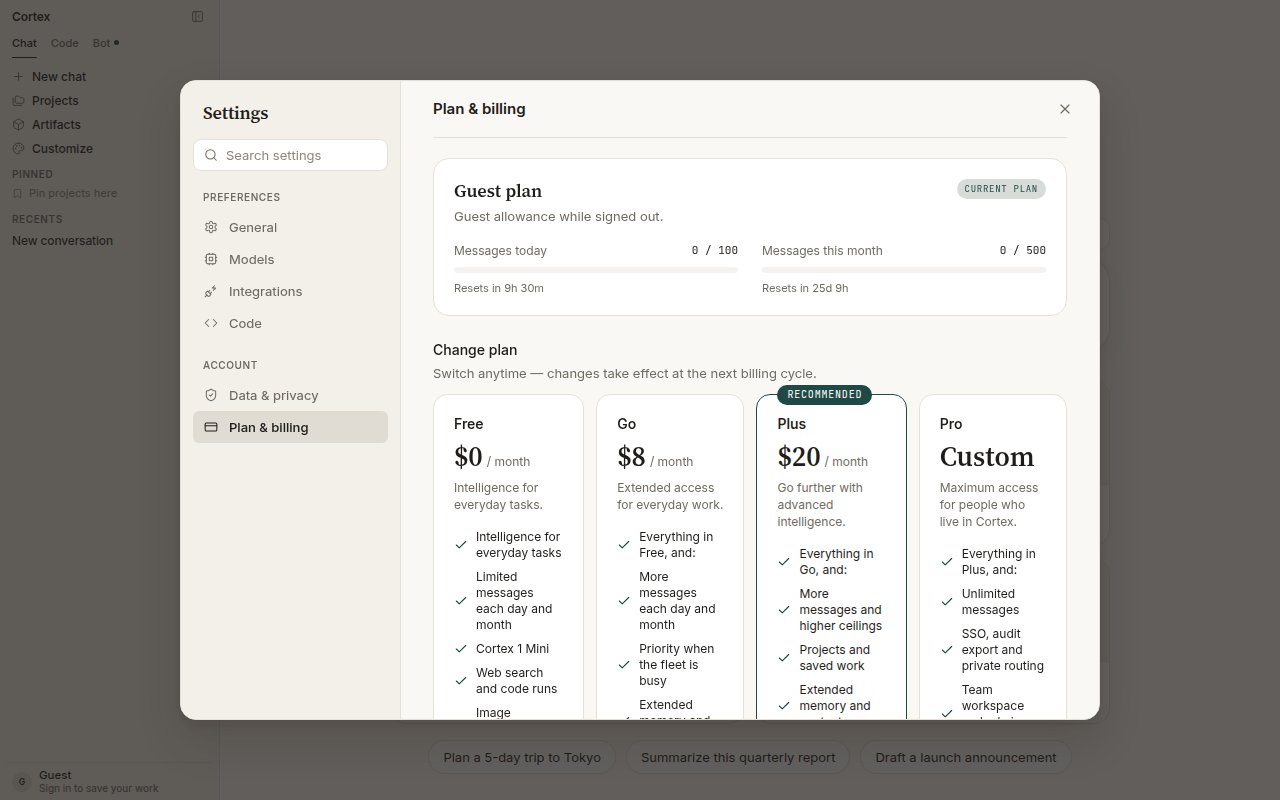
A guest's usage: 100 messages today and 500 this month, each with its own reset timer.
How limits fail
Cortex quotas fail closed: when a window is used up, the product says so and tells you when it resets. Nothing is silently downgraded, and there is no paywall pretending to be a quota.
Image generation on Free and Guest is metered as
images_per_day. Running out is quota_exceeded, not a paywall. See Image generation.
The CLI shows the same thing in the terminal: when the agent quota is exhausted the composer is held with the reset time, and /usage shows the details. See CLI troubleshooting.
Model availability
Model availability depends on your plan. During peak hours new chats may fall back to a faster model; the composer chip always shows which model is serving the conversation. See Models.Frequently asked
Does unused quota roll over?
Does unused quota roll over?
No. Daily and monthly windows reset on the timers shown in Plan & billing.
Was there a Pro trial?
Was there a Pro trial?
Through 7 September 2026 a signed-in member could claim one month of Cortex Pro from the product. That window has closed; claiming twice never stacked.
Next
- Accounts — guest versus member, and what each unlocks.
- Models and thinking — which models a plan can serve.
- Image generation — the
images_per_daywindow. - CLI troubleshooting — quota messages in the terminal.