

cortex.foundation/settings. It is a panel with two sections: Preferences (General, Models, Integrations, Code) and Account (Data & privacy, Plan & billing). Guests can browse it; account controls unlock after you sign in.
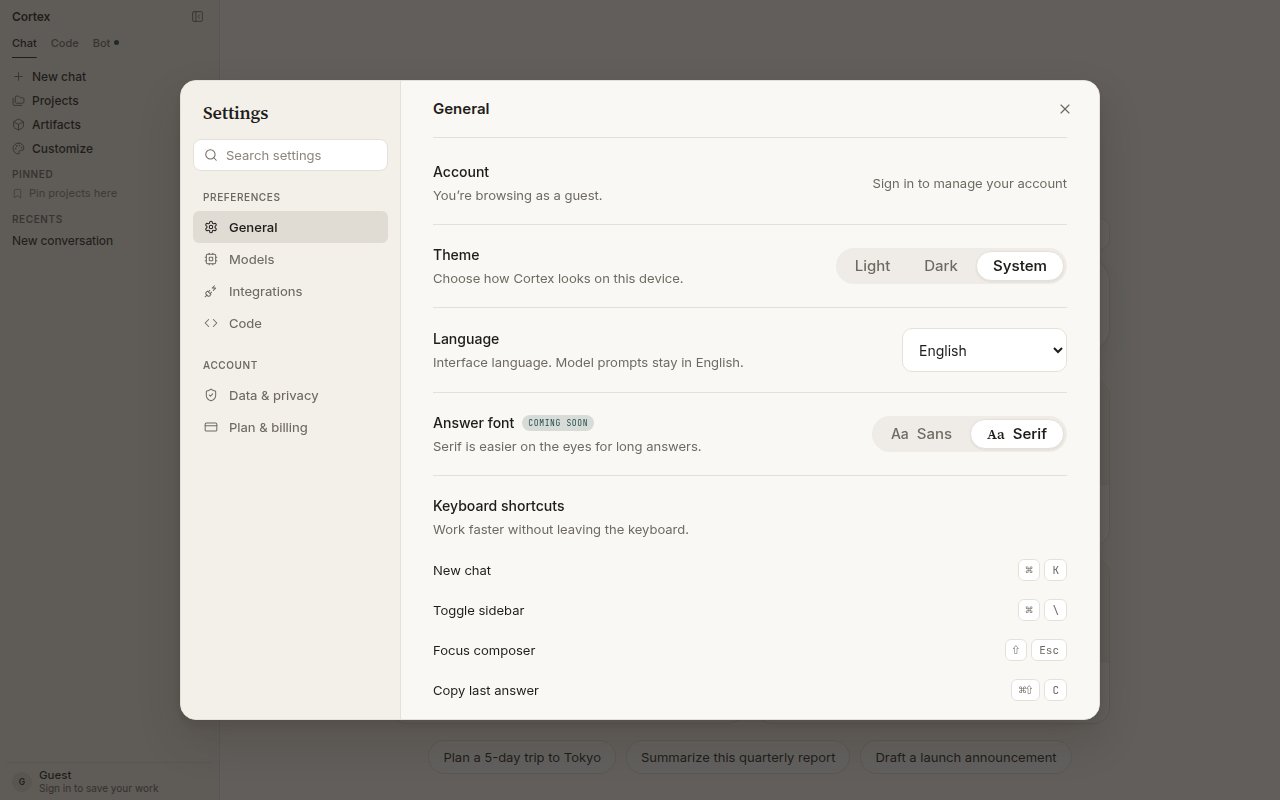
Settings → General: account, theme, language, answer font, and keyboard shortcuts.
General
Keyboard shortcuts
Shortcuts are listed at the bottom of General. On Windows and Linux, read ⌘ as Ctrl.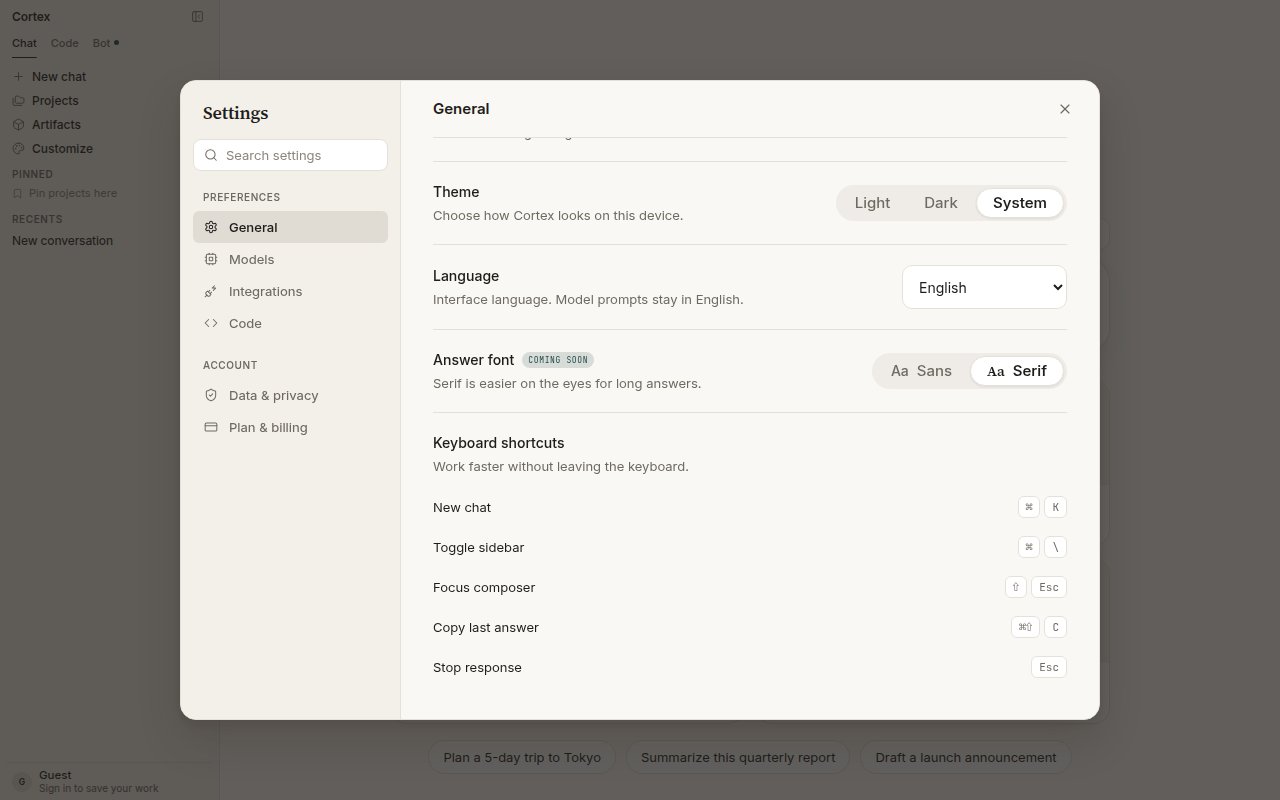
The shortcut list under Settings → General.
Models
Models lists what Chat can serve and lets you choose defaults for new chats. You can always switch per conversation from the composer chip; see Models.
Model availability depends on your plan. During peak hours new chats may fall back to a faster model.
Integrations
Integrations is where a signed-in account connects apps and MCP servers. GitHub is live with four tools (list pull requests, list issues, create issue, and more); Linear, Slack, Notion, and Vercel are listed as coming soon. Under MCP servers you attach a Model Context Protocol server over HTTP by name and URL, with an optional bearer token. Details: Tools and connectors.Code
Settings → Code holds Code’s default model, fallbacks, and an allowlist of model references. The list of enabled providers is shown read-only; keys are sealed in the keyring, never shown, never in git. Most people leave this section alone — Code picks a sensible default. See Code sessions.Data & privacy
Where each control lives. What each one stores, and what it means, is on Security and privacy.Plan & billing
Your current plan, today’s and this month’s usage with reset timers, the plan ladder (Free, Go, Plus, Pro), and billing history. See Plans and quotas.Settings elsewhere
Next
- Accounts — what signing in unlocks.
- Plans and quotas — the usage panel under Plan & billing.
- Security and privacy — cookies, storage, and deletion.
- Chat troubleshooting — when a setting does not seem to take.